DoorPilot is the operating system behind a modern services brand: bookings at the customer's door or in your chair, a front desk that takes walk-ins and phone orders, smart dispatch, payments, provider payouts, per-outlet reporting and safety — running under your name.
No setup fee · Cancel anytime · Front desk · multi-outlet · same-gender matching · cash & online payments built in
Illustrative dashboard preview · sample data
The idea
Someone books online. Someone walks into your outlet. Someone phones the front desk. Typical booking tools cover the first and leave the other two on a paper register — so your calendar, your cash and your numbers never agree. DoorPilot takes all three into one calendar and one ledger, then does the hard part after: matching the right professional, routing them to the door or the chair, collecting money (cash and online), splitting commissions, paying providers on time, and keeping everyone safe in a stranger's home.
Address captured and checked against your serviceable pincodes; travel buffers held between jobs so nobody is double-booked across town. SOS and start/end OTPs on every session.
Venue sessions need no address and no serviceability check — and no travel buffer, so appointments pack back-to-back in the chair. Each one is tagged to the outlet it happened in.
Your receptionist books a walk-in or a phone customer by phone number alone — customer created on the spot, professional assigned directly, price adjusted with a reason if you're doing someone a favour.
How it works
Add your services, pricing, service areas and your outlets — plus your logo and your accent colour.
Onboard professionals, their skills and availability windows.
Plug in your payment gateway & messaging — or start with cash-only.
Your branded booking app is ready — and the front desk can take walk-ins the same day.
Step zero is a 10-minute form: the onboarding checklist →
Inside the product
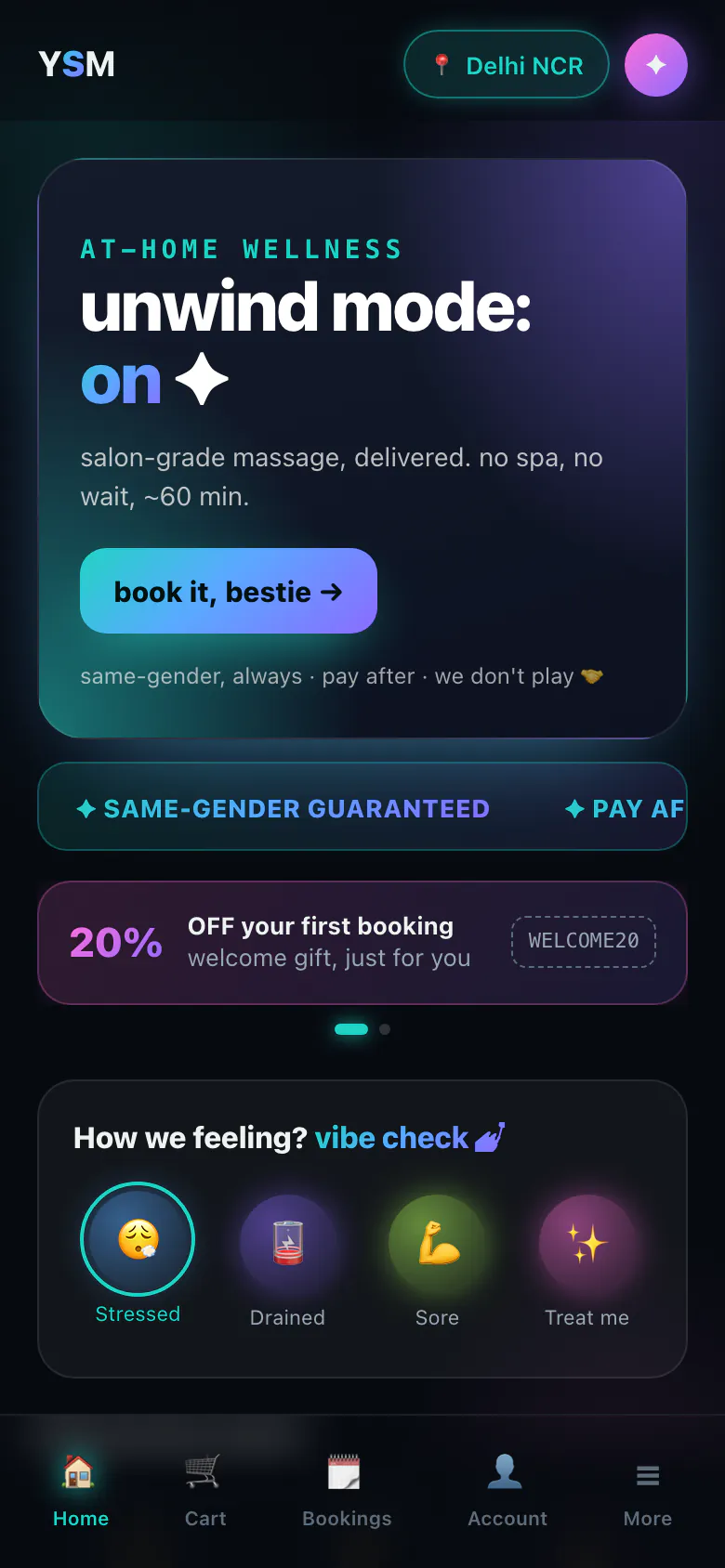
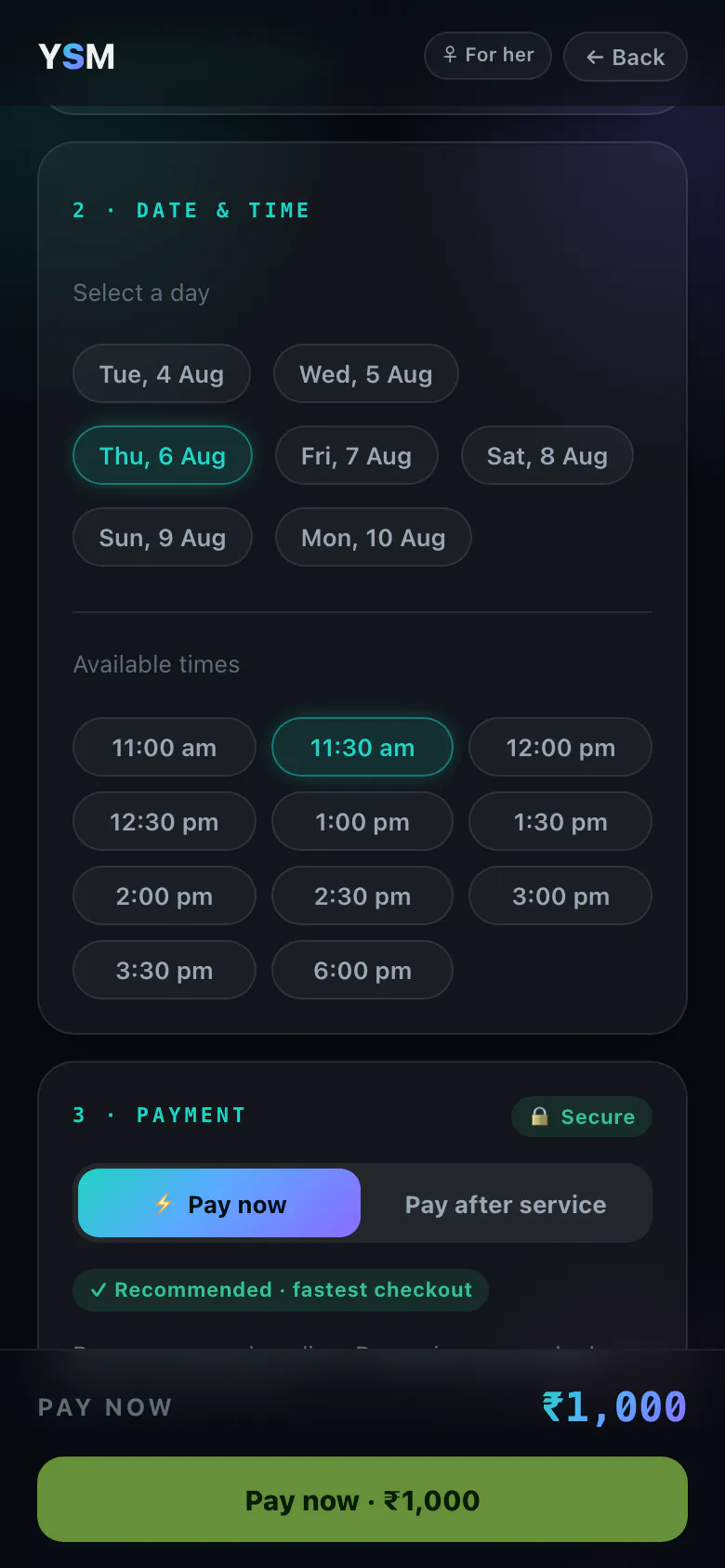
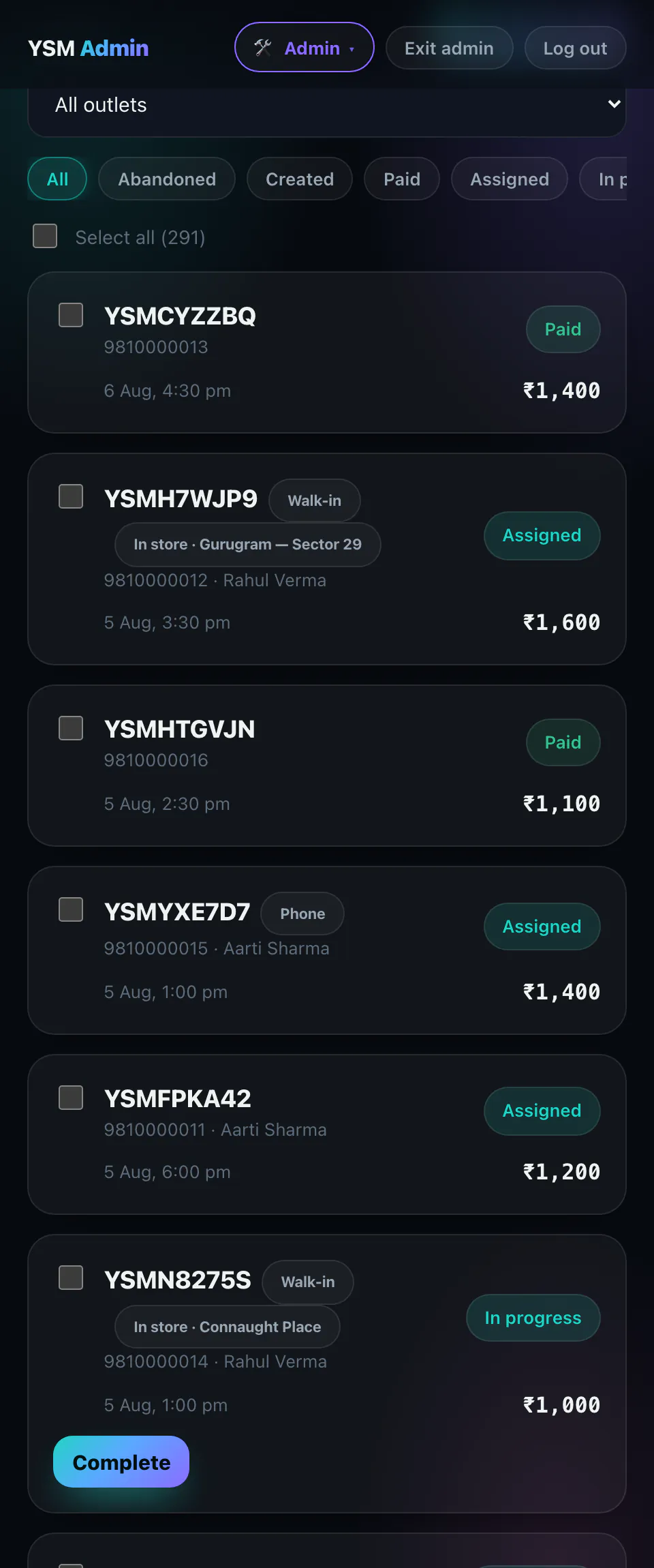
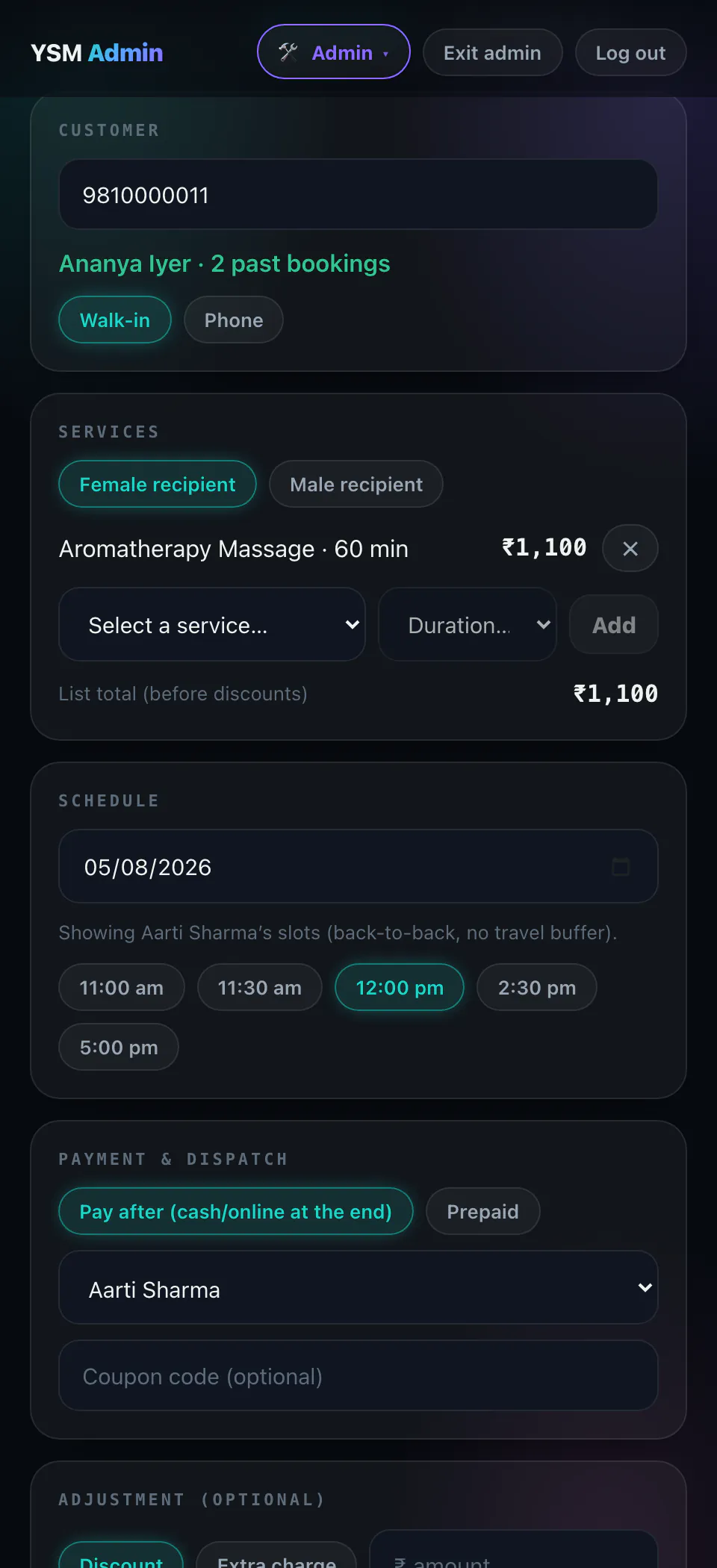
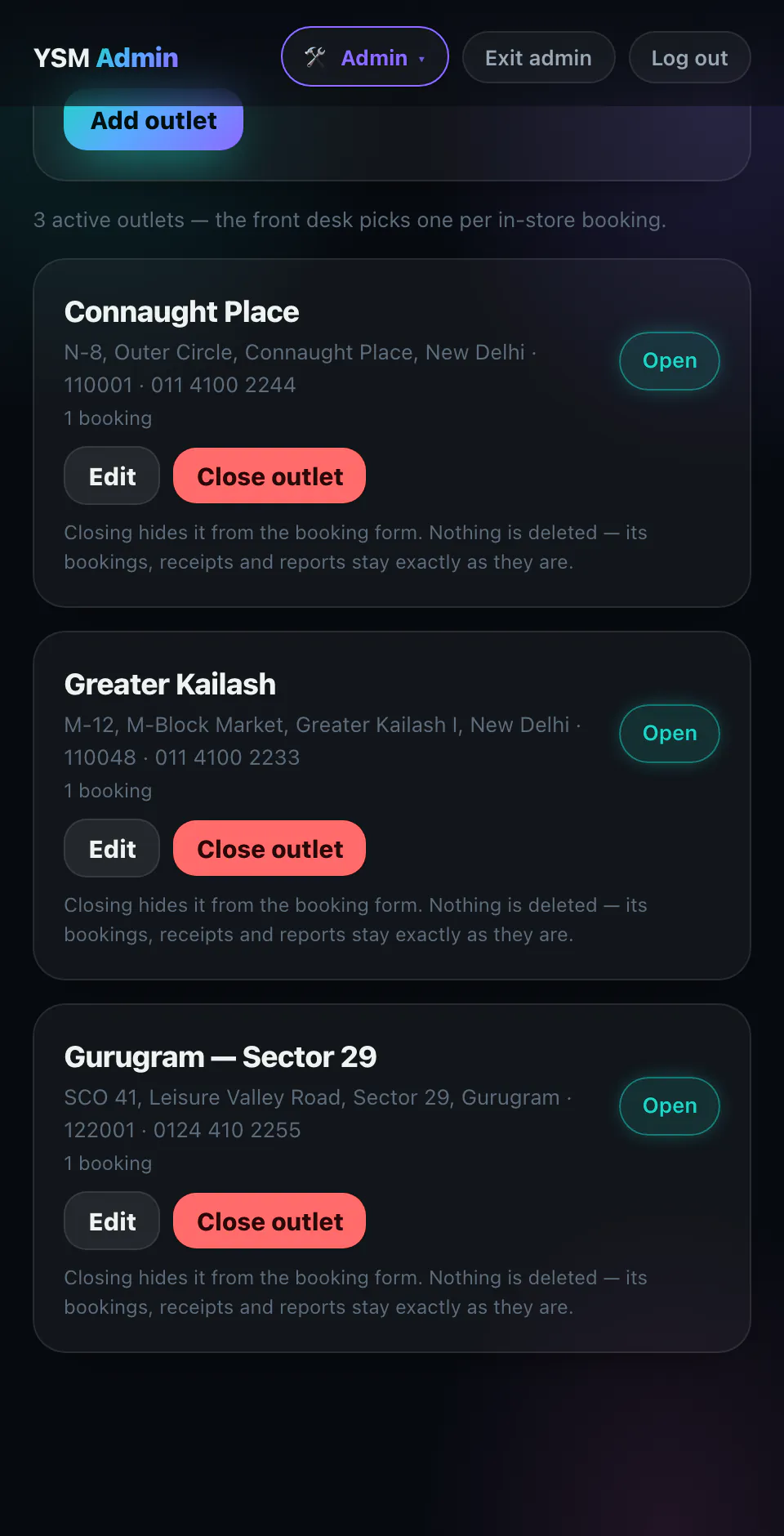
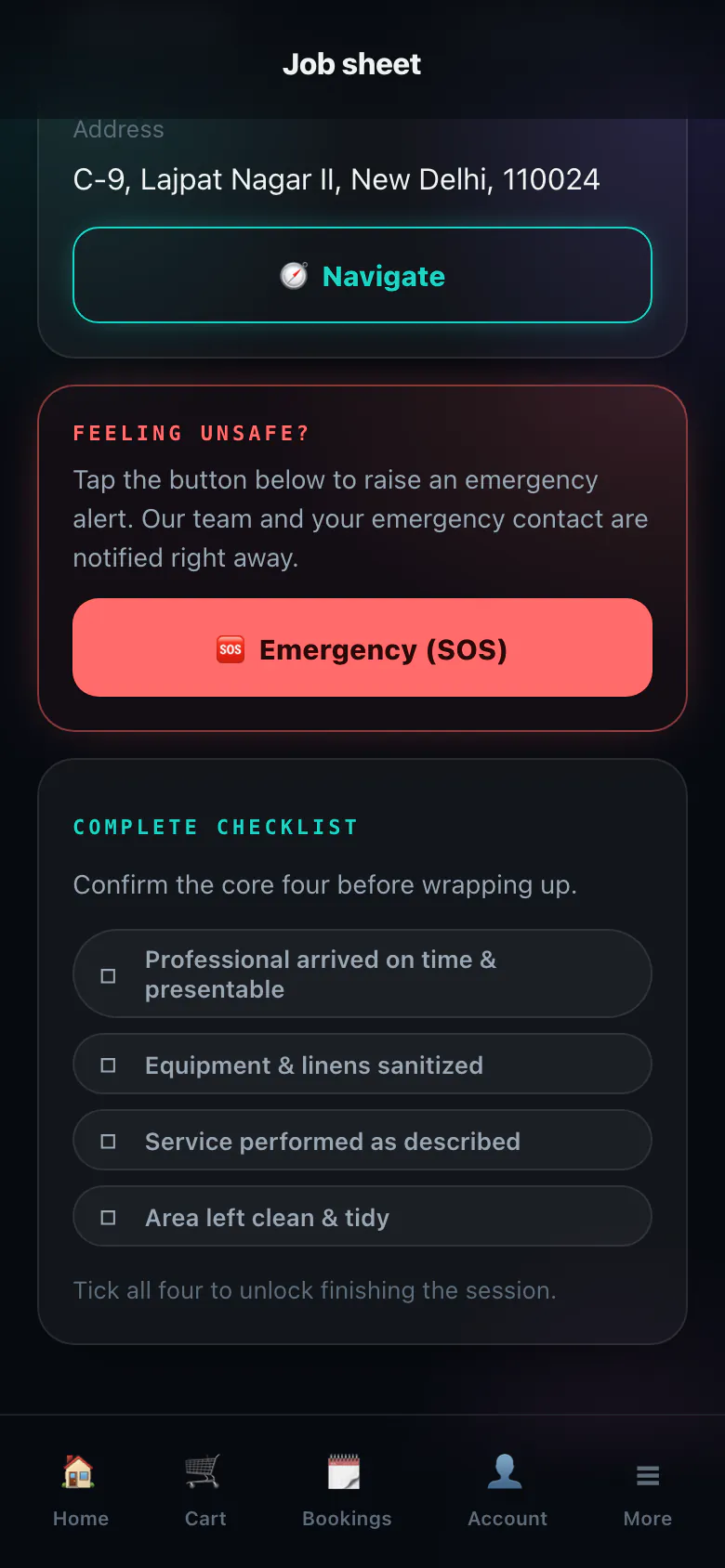
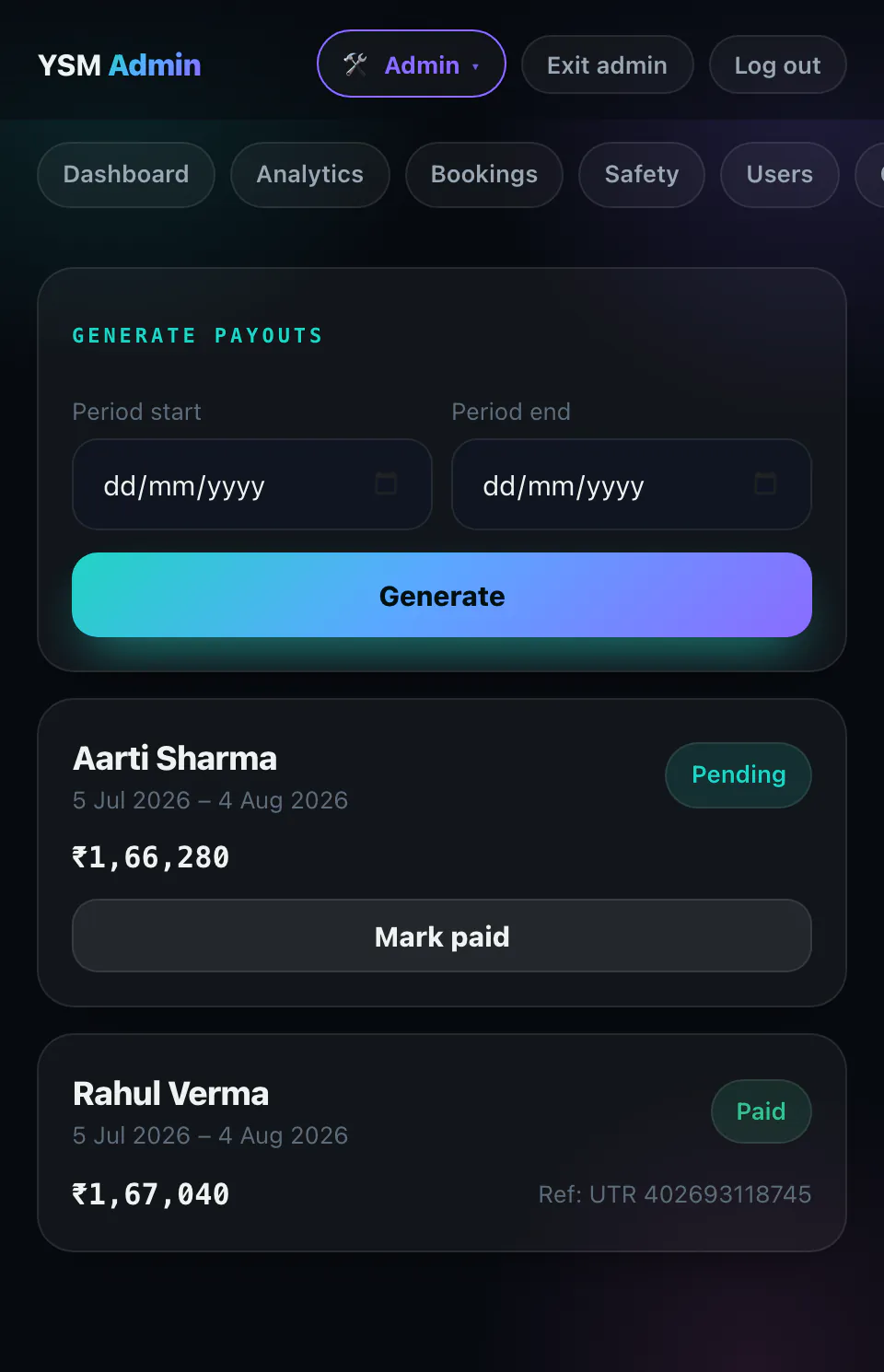
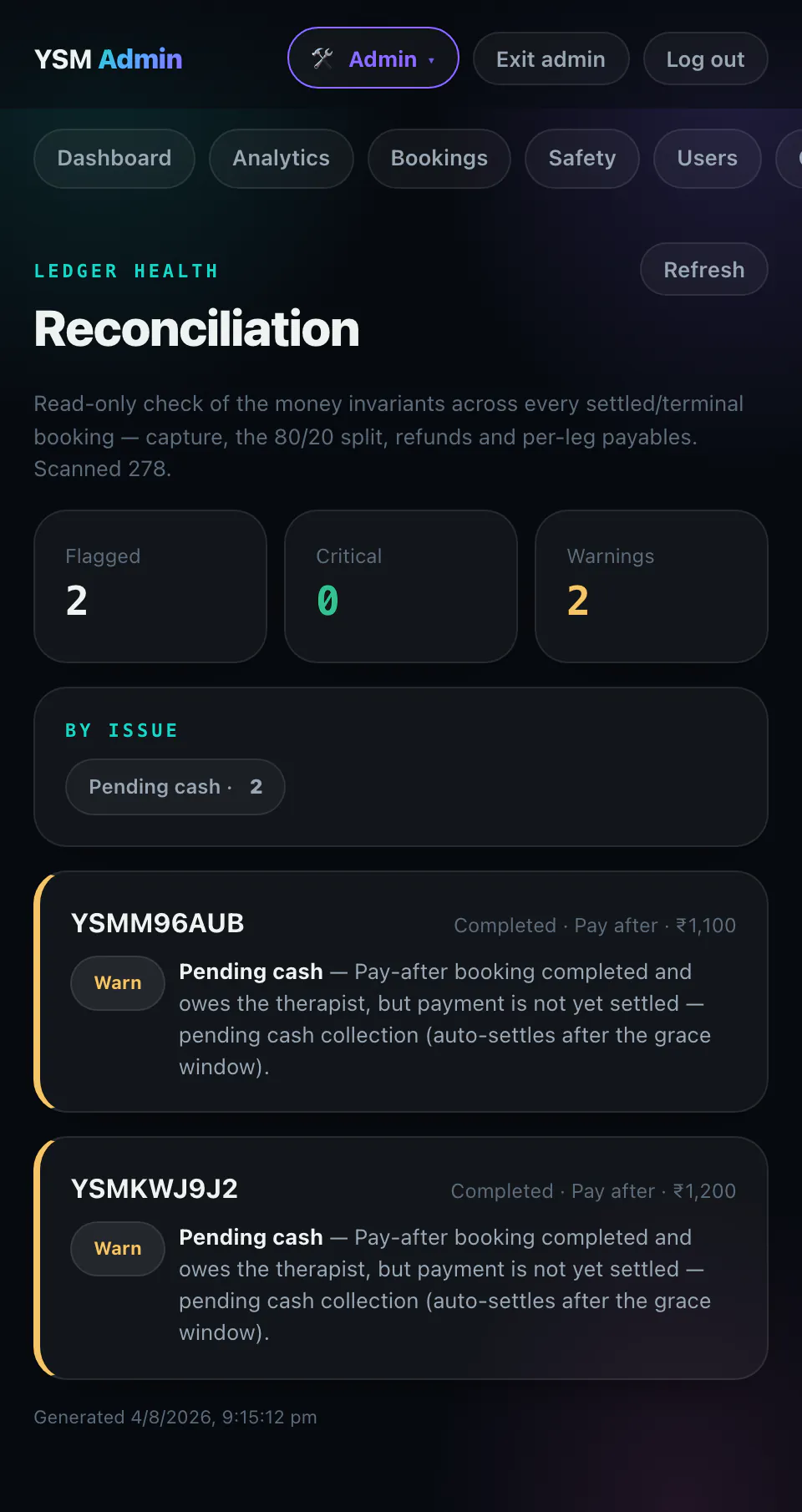
Screens from the live system that already runs a working at-home services brand: the customer storefront, the front desk, dispatch, the professional's job sheet and the money.
Real screens, captured from the running product on a demo dataset — every name, phone number and address shown is fictional.
The platform
A production stack that already runs a live services brand. You configure your services, your outlets and your team, and go live.
The same slot engine handles home visits and in-store appointments. At-home jobs get travel buffers and a serviceability check; in-store sessions get neither and pack back-to-back.
Walk-in and phone bookings from the admin side: type a phone number, the customer is found or created, pick the slot, assign the professional. No app download, no waiting.
Run every branch on one system. The money stays in a single ledger and slices per store: per-outlet P&L, a store column on every CSV export, analytics filtered by branch, and receipts that print the right address.
Onboard, verify and manage your professionals; auto-match by skill, service area and availability — and gender, when it matters. Self-serve availability, job magic-links, live earnings.
Prepaid via gateway or pay-after in cash or online — chosen per booking. Refunds, cancellation tiers, GST-safe receipts.
The front desk can discount or add a surcharge on the spot — a written reason is mandatory, and the amount lands on the receipt and in the ledger as its own line, separate from coupon money.
Append-only money ledger, automatic commission split, provider payouts and daily reconciliation checks — with the same numbers re-cut per outlet.
Panic button for customer & professional, emergency-contact SMS with a location snapshot, ops alert console.
Customer-read start/end OTPs and a completion checklist gate every job. Require finish photos too — stored privately, opened only through short-lived signed links.
Two providers, one slot, one place — parallel availability and per-person money handling, built in.
Coupons, add-ons, service combos, ratings, referral rewards, and an editable home-screen CMS with promo banners and bands.
Browser push out of the box, free and with no approvals — including an automatic nudge to customers who started a booking and never paid. WhatsApp & SMS send from your approved sender (DLT / WhatsApp Business).
Security & control
You're handing a system your prices, your customers' home addresses and what every staff member earns. Here is exactly what protects them — in plain language, not security jargon.
Getting into the admin side needs a code from an authenticator app on top of the login itself — so a stolen phone number alone doesn't open your money screens. Some owners want that, some find it friction: it's a switch on your own settings screen, on by default.
You run the business: services, prices, coupons, staff, bookings, payouts, branding. The commercial levers — your plan, your commission split, which features you're entitled to — sit behind a separate platform-level login, and every one of them is a distinct action your team simply cannot perform.
Everyone gets their own login and their own role — customer, professional, admin — never a password the whole shop shares. Someone leaves badly? Suspend the professional so dispatch stops offering them jobs, then block the login: they're signed out on every device, their admin access ends on the spot, and they can't get back in.
Every change made in the admin panel — a price edit, a discount, a cancellation, a refund, a role change, a setting flipped — is written down with the person's login against it, and you read it on a screen. Not a log file we keep for ourselves.
Every rupee event — a payment, a refund, the commission split, a payout — is added as a new line. Lines are never edited or deleted afterwards, so a correction has to show up as a correction. The trail can't be tidied up after the fact.
Overnight, every settled booking is re-tested against the money rules: charged once and only once, split adding up to the total, refunds never exceeding what was collected, every payable attributed to a real professional. Anything that fails is in an alert email the same morning — your numbers can't silently drift.
A professional can't start or finish a session without a short code the customer reads out — so nobody can bill for a visit that didn't happen. Want proof of the work too? Turn on completion photos: stored privately and opened only through links that expire in minutes, never a public URL.
A panic button for both sides during an at-home session. It raises the alert on your ops console and texts the customer's emergency contact on file plus your escalation number — so a bad situation reaches a human, not a voicemail.
Your database is backed up every night, encrypted, and stored off the server it came from — so losing the server doesn't lose the business. Once a month that backup is restored into a scratch copy and checked that it comes back whole, because an untested backup isn't a backup.
Make it yours
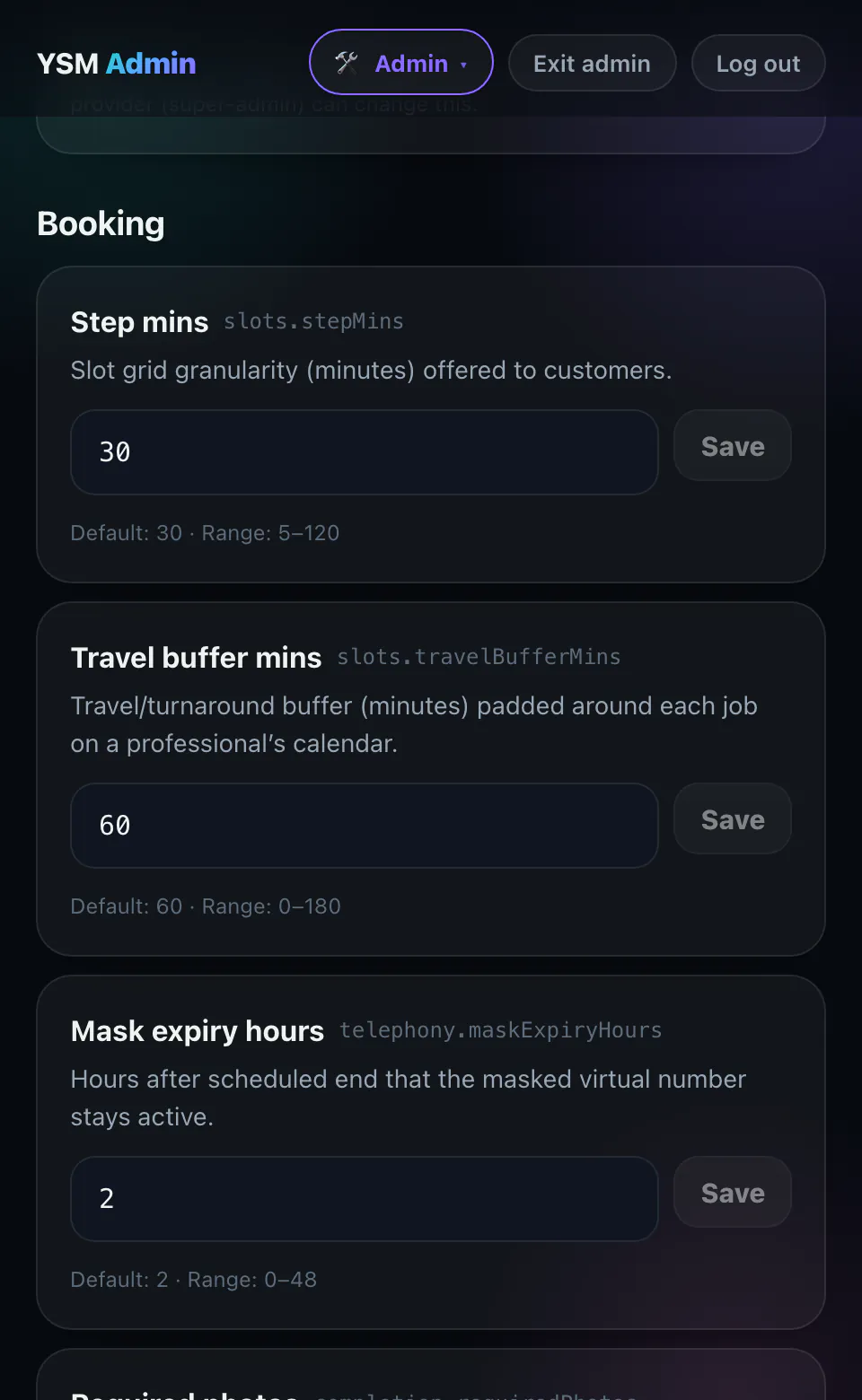
Two salons in the same street don't run the same way. Almost every rule in DoorPilot is a setting on your own admin screen: change it, it takes effect, no developer, no rebuild, no waiting on us.
Every setting ships with a sensible default, a stated safe range, and a plain-English warning before you turn something off — so you can't quietly break your own business from the settings screen. And changing one is itself an admin action, recorded like any other. Two DoorPilot businesses can run completely differently on the same software, with nobody touching code — and today two of them, in two different trades, do.
Who it's for
Two businesses of different types run on DoorPilot today, as separate instances on one codebase: an at-home wellness brand, and a hair salon doing both chair appointments and home visits. Separate databases, separate domains and certificates, separate catalogs, branches and service areas — one system underneath. The second business is where software like this usually turns out to need a code fork. This one didn't.
There's no drop-down of thirty industries here, because we haven't run thirty. The shape that fits is simple: you book a time slot, someone does the work — at your place or the customer's — and afterwards a professional's time and somebody's money both have to add up. If that's your business, we'd configure it with you, the same way the two above were configured. Businesses of that shape:
To be straight about it: those six are a fit, not a track record — nobody in them is live on DoorPilot yet, and we'd rather tell you that than let a logo wall imply otherwise. Multi-branch chains are included either way: every outlet on one system, with its own numbers when you need them.
Pricing
One flat monthly fee — we don't take a percentage of your bookings. Payment-gateway & SMS/WhatsApp charges are passed through at cost.
→ Roadmap items are not shipped today. We scope, price and commit to them per contract — talk to us before you plan around them.
All plans include a 1-month free trial, no setup fee, and cancel-anytime. Booking volumes are plan guidance, not hard cut-offs — nothing stops working at booking 201; if you outgrow a plan we talk first. Usage-based services — payments (Razorpay ~2% / transaction, online only), messaging (SMS/WhatsApp) — are billed at provider cost (pass-through). Call-masking (customer ↔ professional number privacy) is an optional paid add-on, off by default. Subscriptions are invoiced monthly or annually — we don't touch your booking revenue.
Ready when you are
Anyone can take a booking. DoorPilot does the parts that actually break at scale — one calendar across home visits, walk-ins and phone orders; cash reconciliation; provider payouts; per-outlet numbers; and safety in someone's home. Start free, keep your brand, own your customers.
There's no self-serve signup yet — we set your workspace up with you, so both buttons open an email. Already spoken to us? Fill the onboarding checklist and send it back — that's everything we need to launch your brand.
FAQ
No. DoorPilot is a flat monthly subscription — your booking revenue is entirely yours. You only pay the plan fee plus pass-through gateway/messaging costs.
Yes — that's now a first-class case, and there's a hair salon instance running on DoorPilot today with its own catalog, branches and service areas. Mark a booking as in-store and it needs no address and no serviceability check, and it carries no travel buffer, so appointments pack back-to-back in the chair. You can run in-store only, at-home only, or both from the same account, and a salon starts in-store-first rather than being an at-home product with a store bolted on.
Those are the two business types set up and running today, so they're the two we can point at rather than describe. The engine itself doesn't know what industry you're in — services, prices, durations, wording, service areas, which home-screen sections even appear, and what your staff are called are all configuration, not code. What we won't do is show you a menu of thirty industries we've never run. If yours isn't one of the two, we set it up with you during onboarding; if something genuinely doesn't fit, we'll tell you before you pay rather than after.
Yes. From the admin side, your front desk types the customer's phone number — we find them or create them on the spot — picks the slot, assigns the professional directly, and can apply a discount or surcharge with a written reason. Walk-in and phone bookings land on the same calendar and in the same ledger as online ones, tagged by how they came in.
Every outlet runs on one system with one shared team and catalog. In-store bookings are tagged to the outlet they happen in, and you can slice the same ledger per outlet — per-store P&L, an outlet column on CSV exports, analytics filtered by branch, and receipts that print that branch's address and phone.
One month, free, no card. There's no self-serve signup yet — you email us, we set your workspace up with you and configure your catalog, team and outlets. Nothing is auto-charged at the end; we invoice you only once you say go.
Yours — and here's the honest breakdown, because "white-label" is a word people stretch. Shipped and fully yours: your service names, variants, durations and prices; your service areas and outlets; your home-screen copy, banners and promo bands; your policy pages; and your logo on the share cards and structured data search engines read. Your accent colour is a setting — it retints buttons, links, highlights and the gradient; a full custom theme (backgrounds, the whole palette) is real design work and is not shipped. Landing now, not finished: your business name and the mark in the app header, and the words your customers read in messages — "your stylist is on the way" instead of "your therapist". That's built and in testing; it isn't switched on across every screen yet, and we'd rather say so than let you find out. The installed-app icon on a customer's home screen is a file we swap for you during setup, not something you can change yourself. Your own domain with its own certificate comes with Scale. And one thing we won't sell you: nothing in the customer app says "DoorPilot" on any plan — there's no badge to pay to remove.
For online payments, yes — connect your own Razorpay (or start cash-only on day one and add online later). We handle the split, refunds, receipts and payouts on top.
You do, from your own approved sender — an Indian DLT registration for SMS and/or a WhatsApp Business number. We wire the templates and send through it; the per-message cost is passed through at provider rates. Browser push notifications work on day one with no approvals at all.
Three things a calendar tool can't do. One, every channel in one place — online, walk-in and phone bookings on one calendar and one ledger, across home visits and your outlets. Two, the money: automatic commission splits, provider payouts, cash reconciliation and per-outlet P&L. Three, personal-services specifics — same-gender matching, panic-button SOS, and customer-verified start/end OTPs.
Your business runs on its own deployment with its own database — you are not sharing a table with other salons. Traffic is encrypted end to end. Backups run nightly, are encrypted, and are stored off the server they came from; once a month one is restored into a scratch copy to prove it actually comes back. Getting into the admin side needs a code from an authenticator app on top of the login, and every admin action is recorded against the person who did it. To be straight with you: we're not ISO-certified or SOC 2 audited, and data-residency options are on the roadmap, not shipped.
Three things. Money is written once — a payment, a refund, a commission split or a payout is a new line, and lines are never edited or deleted, so a correction has to appear as a correction. Every admin action is recorded with the login that did it: who discounted, who cancelled, who changed a price, who changed a setting. And a job can't be started or closed without a code the customer reads out, so nobody bills for a visit that didn't happen. On top of that, an overnight check re-tests every settled booking against the money rules and emails you anything that doesn't add up. None of that stops a determined person — it means nothing happens quietly, which in practice is what changes behaviour.
Mostly, yes. Slot length, travel buffers, reminder timings, cancellation and no-show rules, referral reward amounts, whether couples bookings, add-ons, SOS, completion photos or coupons are on — all of it lives on your own settings screen, with a default and a safe range on every one. The commercial terms — your plan and your split with your professionals — we set with you rather than leaving them loose in the admin panel.
Days. Configure your catalog, add your team, connect payments — your branded booking app is ready. Onboarding help is included on every plan; the fastest starts are the ones where the onboarding checklist comes back complete.
Everything listed in Starter, Growth and Scale is running in production today, including in-store bookings, front-desk walk-in/phone bookings, multi-outlet, price adjustments, referrals, completion photos and push. Some features — referrals and abandoned-booking recovery among them — ship switched off, and we turn them on for you during setup. Two things are in flight rather than done: your business name and staff wording carried into every screen and message (built, in testing), and a full custom theme beyond your accent colour (not started). The Enterprise items marked Roadmap — app-store apps, SSO, public API/webhooks, contractual SLA and data residency — are not shipped yet; we scope them with you before committing.